Wondering how much data a mobile hotspot uses? Discover how tethering affects your data allowance, how much browsing, streaming and video calls consume, and simple ways to save data. Find the right Talk Home Mobile SIM-only plan for your needs.
Talk Home Mobile Published 11 min read
mobile datadata usagemobile hotspot
Many people ask: does a hotspot use more data than using the internet directly on a phone? In simple terms, a mobile hotspot does not automatically use more data for the exact same task, but connected devices like laptops and tablets often burn through gigabytes much faster in daily practice.
When you turn on a mobile hotspot, your handset shares its cellular internet connection with other gadgets and draws from your normal monthly mobile pot. Because full-sized computers load desktop websites, sync background clouds, and download system updates automatically, sharing your connection can empty a small mobile bundle very quickly.
This complete guide explains how hotspot tethering works, how much data laptops and tablets consume, how long different data allowances last, and how to protect your gigabytes from unexpected background drains.
What Is a Mobile Hotspot and How Does It Work?
A mobile hotspot is often called tethering, and it turns your smartphone into a portable wireless router. When you activate the hotspot feature, your phone creates a password-protected Wi-Fi network that nearby gadgets can join.
This setup allows laptops, iPads, handheld consoles, and other phones to connect to the internet away from home. When these devices connect, they do not use a fixed landline broadband connection. Instead, they send and receive information through your handset's active cellular link using 4G or 5G masts.
Every single file downloaded or webpage viewed by a connected gadget takes megabytes straight from your phone's monthly SIM allowance. Understanding this relationship helps you avoid unexpected surprises on your mobile bill.
Does a Hotspot Use More Data Than Normal Mobile Usage?
If you are asking does a hotspot use more data, the direct technical answer is no. A 5MB email or a standard audio stream uses the exact same 5MB whether you open it on your phone or on a tethered laptop.
However, in everyday practice, mobile hotspot data usage is almost always much higher than ordinary phone browsing. When you connect a laptop or tablet, several hidden factors start eating into your allowance:
Mobile phone browsers load compact, lightweight versions of websites designed to save data. Laptops automatically download large desktop versions loaded with high-resolution images, video ads, and heavier scripts.
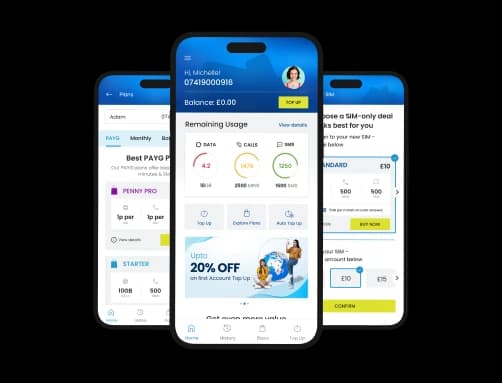
The All-new My THM App
Manage Your Talk Home Account Easily
Top-up, explore plans, get real-time updates & stay connected on the go. Download the app today.
Download App
Scan the QR code to download the app on your phone.
Join the conversation
Leave a comment
Have a question or something useful to add? Share your thoughts with other readers.
Full Desktop Websites:
Automatic Operating System Updates: Computers running Windows or macOS treat Wi-Fi connections as unlimited broadband by default. They can quietly download 2GB to 5GB system updates in the background without asking your permission.
Cloud Storage Syncing: Services like OneDrive, iCloud, Google Drive, and Dropbox often start backing up desktop files, photos, and documents the second your laptop connects to Wi-Fi.
Default Video Resolutions: Streaming platforms often jump to Full HD (1080p) or 4K on a wide computer screen, using three to four times more data than standard-definition mobile playback.
Multiple Connected Devices: If two or three people connect their tablets or phones to your hotspot at once, every device uses your allowance simultaneously.
How Much Data Does a Mobile Hotspot Use Per Hour?
Working out how much data does a hotspot use comes down to the tasks your connected devices perform. Basic text work uses very little, while video streaming and remote working tools use significant bandwidth.
The table below outlines approximate hourly data consumption across common hotspot activities:
Data Allowance
Light Web Browsing & Email
Zoom / Teams Video Calls
Full HD Movie Streaming
1GB
~8 to 12 hours
~45 minutes
~20 minutes
10GB
~80 to 120 hours
~7 to 10 hours
~3 to 4 hours
50GB
~400 to 600 hours
~35 to 50 hours
~16 to 18 hours
100GB
~800+ hours
~70 to 100 hours
~33 to 35 hours
Note: For software updates, game patches, and file downloads, data is determined by file size rather than hourly duration. A single Windows update or game patch can easily consume 2GB to 15GB in just a few minutes.
For a detailed look at how specific video platforms consume data, explore our dedicated guides covering YouTube data usage and Netflix data usage.
How Much Hotspot Data Do Laptops, Tablets, and Other Devices Use?
Different gadgets place very different demands on your shared cellular connection. Understanding your device's habits helps you keep your usage under control.
Laptop Hotspot Data Usage
Laptops are the biggest consumer of hotspot data. Unlike mobile phones, laptops are built for unmetered home broadband lines. A laptop will run background virus definitions, sync cloud folders, and refresh open browser tabs without showing an alert on your screen. Working on a laptop through a hotspot for a standard eight-hour workday typically uses between 2GB and 6GB for regular tasks, or upwards of 10GB if your day includes multiple video meetings.
Tablet Hotspot Data Usage
Tablets generally use less data than laptops because they run mobile-optimised operating systems like iPadOS or Android. However, tablets have large screens that encourage high-definition media consumption. If you stream TV shows or hand the tablet to children for online video apps, data consumption can match laptop levels very quickly.
Multiple Devices Connected to One Hotspot
Connecting more than one gadget to your phone multiplies your data burn. If your laptop is backing up work files while a family member watches streaming video on a tablet, your hotspot can burn through 4GB to 5GB in under an hour. Every device draws from the exact same monthly allowance at the same time.
How Long Does 1GB, 10GB, 50GB, or 100GB Last on a Hotspot?
How long an allowance lasts when tethering depends entirely on whether you do lightweight work or stream high-definition media.
Data Allowance
Light Web Browsing & Email
Zoom / Teams Video Calls
Full HD Movie Streaming
1GB
~8 to 12 hours
~45 minutes
~20 minutes
10GB
~80 to 120 hours
~7 to 10 hours
~3 to 4 hours
50GB
~400 to 600 hours
~35 to 50 hours
~16 to 18 hours
100GB
~800+ hours
~70 to 100 hours
~33 to 35 hours
A 10GB allowance can cover an emergency work day, but it will vanish fast if you join long video conferences. A mid-sized 50GB bundle offers plenty of room for hybrid working and regular travel. For a closer look at what 50GB delivers in real life, read our practical guide on how long 50GB lasts.
If you work remotely on a full-time basis, check whether is 100GB enough for your routine, or consider an unlimited data SIM to eliminate usage worries completely.
Does Leaving Your Hotspot On Use Mobile Data?
Many users wonder: does turning on a hotspot use mobile data if no one is using the internet?
Simply turning on your hotspot feature uses virtually zero data on its own. The phone is merely broadcasting a local Wi-Fi beacon waiting for devices to join.
However, leaving the hotspot turned on while devices remain connected will use mobile data. Even when you are not actively typing or browsing, connected laptops and tablets continue checking for push notifications, syncing emails, and refreshing apps in the background.
Leaving a hotspot active also drains your smartphone's battery very rapidly. To protect your allowance and battery life, always switch off your hotspot as soon as you finish using it.
How to Check Hotspot Data Usage
Tracking how much data does tethering use helps you spot heavy usage before your monthly allowance runs out. Both major phone systems track this information in their settings.
Check Personal Hotspot Usage on iPhone
Open the Settings app on your iPhone.
Tap Mobile Data (or Cellular).
Scroll down and look for Personal Hotspot.
You will see the total amount of tethered data used during the current period, along with a list of devices that connected to your phone.
Tip: iOS does not reset this number automatically each month. Scroll to the very bottom and tap Reset Statistics on your billing renewal date to keep your tracking clean.
Check Mobile Hotspot Usage on Android
Open the Settings menu on your Android phone.
Tap Network & Internet (or Connections on Samsung devices).
Select SIMs and tap App data usage.
Look through the app list for Tethering & portable hotspot (or Mobile Hotspot).
Android displays the exact megabytes or gigabytes consumed by tethering during your current billing cycle.
How to Reduce Mobile Hotspot Data Usage
If you rely on your phone's connection while travelling, these simple adjustments will protect your allowance from rapid drain:
Turn on "Metered Connection" on Windows: Open Windows Settings, go to Network & Internet, click on your phone's Wi-Fi network, and turn on Metered connection. This tells Windows to pause large background updates and delay non-urgent downloads.
Enable Low Data Mode on Mac and iPad: In your Mac or iPad Wi-Fi settings, select your phone's hotspot and toggle on Low Data Mode to pause automatic photo syncing and background refreshes.
Pause Cloud Backups: Temporarily pause OneDrive, Google Drive, and Dropbox while connected to your phone so large work folders do not sync over mobile data.
Lower Video Meeting Quality: In Zoom or Microsoft Teams, turn off HD video in the settings. This cuts your data consumption during video calls by more than half.
Set Video Streams to 480p or 720p: Avoid streaming movies in 1080p or 4K while on a hotspot. Standard definition provides clear viewing on laptop screens while saving gigabytes.
Disconnect Idle Devices: Disconnect tablets or secondary phones as soon as you stop using them so they do not sync in the background.
Switch Off the Hotspot When Finished: Turn the hotspot toggle off on your phone when your work session ends to save battery and stop accidental background use.
Does 5G Hotspot Use More Data Than 4G?
A common question among mobile users is whether a 5G hotspot uses more data than a 4G connection.
Technically, 5G does not use more data for the exact same file. Transferring a 20MB document takes 20MB whether you are on 3G, 4G, or 5G. 5G simply delivers the file much faster.
However, because 5G speeds are so fast, streaming apps like YouTube and Netflix may automatically select higher video resolutions (like 1080p or 4K). Websites will also load media files instantly, which can lead to higher overall data consumption if you do not lock your resolution settings manually.
Which Talk Home Mobile Data Plan Is Best for Hotspot Usage?
Selecting the right mobile plan depends on how often you tether your devices away from home broadband. If you want a complete breakdown of how to estimate your overall monthly internet needs, start with our main pillar guide on how much mobile data do I need.
Occasional Tethering (15GB to 30GB): Ideal if you only need a hotspot once or twice a month to check emails, send documents, or do quick tasks on a train journey.
Regular Hybrid Workers (50GB to 100GB): Perfect for students and professionals who tether a laptop several days a week, join video calls, and work from cafes or trains.
Heavy Remote Workers (Unlimited Data): Essential if your phone acts as your primary internet connection, you work remotely full-time, or you do not have fixed broadband at home.
Talk Home Mobile allows full tethering across its plans without restrictive extra charges. Powered by EE's nationwide 4G and 5G network covering over 99% of the UK population, Talk Home Mobile offers flexible monthly sim only deals with no credit checks and no long-term contracts.
Conclusion
So, does a hotspot use more data? While the connection itself does not multiply data usage, connected laptops and tablets consume much more data than phones due to desktop websites, automatic updates, and cloud backups.
By setting connected laptops to a metered connection, lowering video resolutions, and turning off the hotspot when you finish, you can share your internet smoothly without draining your allowance.
Need mobile data for your laptop, tablet or other devices? Explore Talk Home Mobile's flexible SIM only plans and choose an allowance that suits your hotspot usage.
Frequently Asked Questions
Does a hotspot use more data than a phone?
Not for the exact same file or task. However, connected laptops and tablets load desktop websites, download automatic system updates, and run background cloud syncs, which makes them consume far more data than a phone in practice.
Does turning on a hotspot use mobile data?
No. Simply switching the hotspot toggle on uses virtually zero data. Data is only consumed once another device connects and begins downloading or syncing information over the connection.
How much data does a hotspot use per hour?
Basic web browsing and emails use roughly 60MB to 150MB per hour. Standard video calls use around 800MB to 1.5GB per hour, while Full HD video streaming uses between 2.5GB and 3GB per hour.
Is 10GB enough for hotspot usage?
A 10GB allowance is plenty for light web browsing, sending emails, and occasional document work. However, it will only support around 7 to 10 hours of video meetings or 3 to 4 hours of HD video streaming before running out.
How long will 50GB last on a mobile hotspot?
A 50GB allowance provides roughly 400 to 600 hours of general web browsing, 35 to 50 hours of video meetings, or around 16 hours of Full HD movie streaming. It is well suited for regular hybrid working.
Does connecting a laptop use more hotspot data?
Yes. Laptops typically treat Wi-Fi connections as unlimited broadband. Unless you turn on a metered connection setting, a laptop will download background operating system updates and sync cloud storage folders without asking.
Does 5G hotspot use more data than 4G?
No. 5G simply transfers data at faster speeds. However, because 5G connections are faster, streaming apps may automatically default to higher video resolutions, which can burn through data faster if not adjusted manually.
Can I use unlimited data for mobile hotspot?
Yes, UK providers generally permit tethering on unlimited plans under fair usage policies. An unlimited SIM is ideal if you regularly connect laptops and tablets without access to fixed home broadband.
Talk Home Mobile
Talk Home Mobile shares expert tips and practical guides on SIM-only deals, affordable mobile plans, international calling, and roaming to help customers stay connected and save money.
How Much Data Does a Mobile Hotspot Use? UK Guide 2027 | Talk Home Mobile
 Talk Home Mobile Published




Join the conversation
Leave a comment
Have a question or something useful to add? Share your thoughts with other readers.