



Turn on Roaming on iPhone
- Open the "Settings" app on your iPhone.
- Go to "Mobile Data" and then to "Mobile Data Options."
- Tap on the "Data Roaming" toggle button to activate roaming service on your device
THM


Stay connected in United Kingdom with clear rates, reliable coverage, and no unexpected charges.
PAYG roaming rates for United Kingdom are currently unavailable. Please check again shortly.
You only go through 3 Simple Steps to activate roaming with Talk Home Mobile:
United Kingdom rewards travellers who stay curious, from planning the big sights to finding the small local details that make a journey memorable: historic cities, coastal escapes, countryside routes and familiar home-network use. Whether you are checking directions, booking a transfer, translating a menu or sending photos home, staying connected in United Kingdom makes the whole trip feel easier. This Talk Home Mobile guide gives travellers a clear, practical way to plan roaming, manage data and use the right apps while exploring United Kingdom.
The UK is your home network area with Talk Home Mobile, so this page should be framed differently from an overseas roaming destination. Use this guide for visitors returning to the UK, customers checking UK coverage before they travel, or users who want to understand how their plan works before going abroad again. For trips outside the UK, always check the selected destination in the Talk Home Mobile roaming rate finder before departure.
Planning a United Kingdom trip is much easier when your phone is ready before you leave home. Save your bookings, insurance details, passport copies and emergency contacts offline so you can still access them if mobile signal drops. Use comparison tools for flights and hotels, check recent traveller reviews, and download confirmations to your wallet or files app. Keep a small payment backup too: some kiosks, rural guesthouses or ticket machines may still prefer cash or a local card. A simple data-saving habit also helps: download offline maps, save key addresses in advance and keep your most important travel apps updated on Wi-Fi before departure.
Your phone can make getting around United Kingdom far smoother, especially when you combine mobile data with offline preparation. Rail, metro, tram and coach options are often the easiest way to move between cities, while smaller towns may need buses, taxis or a hire car. Save your hotel, airport, station and key attractions in your maps app, then download offline areas before long journeys. For taxis and ride-hailing, check prices in the app before you start, confirm the vehicle details, and keep a small backup option in case your preferred app is unavailable.
Explore quick answers to frequently asked questions about Talk Home Mobile and our SIM-only deals.
No. The United Kingdom is your home network area for Talk Home Mobile, so your normal UK plan or PAYG rates apply.
No international roaming setting is needed for standard Talk Home Mobile use in the United Kingdom.
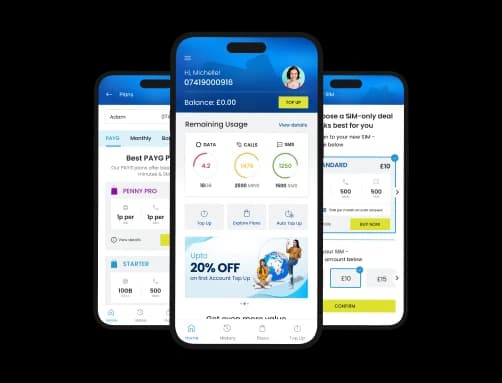
The All-new My THM App
Top-up, explore plans, get real-time updates & stay connected on the go. Download the app today.

Scan the QR code to download the app on your phone.


| Travel need | Helpful apps or websites |
|---|---|
| City transport | TfL Go, Citymapper, Google Maps, Apple Maps |
| Intercity travel | National Rail, Trainline, National Express, Megabus |
| Ride-hailing/taxis | Uber, Bolt, local taxi apps |
| Car hire/road trips | Rentalcars.com, Enterprise, Hertz, Google Maps offline |
Before roaming in United Kingdom, turn your phone into a practical travel toolkit rather than relying on data at the last minute. Use Google Maps or Apple Maps for navigation, but download offline maps before you leave strong Wi-Fi. Keep Google Translate ready for menus, signs and short local phrases. Use XE or your banking app to sense-check prices, and keep airline, hotel, ticketing and travel insurance apps signed in before departure. For safety and admin, bookmark GOV.UK foreign travel advice and check passport, visa and health requirements through official sources before travelling. App availability and transport coverage can change by city, so verify local apps before publishing final country pages.
1GB can go a surprisingly long way in United Kingdom if you use it for maps, messaging, email and quick searches. It disappears much faster with video calls, social feeds, cloud photo backups, app updates and streaming. For better control, download maps on Wi-Fi, reduce video quality, turn off automatic backups while roaming and check your phones data-usage screen daily.
| Activity | Typical use from 1GB of data |
|---|---|
| Browsing maps and websites | Around 16-20 hours of light browsing, depending on page size and images. |
| Email and messaging | Thousands of plain emails or messages, but far fewer if attachments, photos or videos are included. |
| Music streaming | Roughly 7-20+ hours depending on streaming quality and app settings. |
| Video calling | Often around 1-3 hours depending on app, signal quality and video resolution. |
| Standard video | Usually around 1-2 hours at lower quality; HD and 4K can use the allowance much faster. |
| Photo uploads | Hundreds of standard photos, depending on file size, cloud backup settings and image quality. |
Your United Kingdom journey should be about the moments, not the mobile settings. With a little preparation, Talk Home Mobile can help you stay connected for maps, bookings, family updates and everyday travel tasks while you are away. Before departure, check the latest roaming details for your destination, save the essentials offline, and travel with confidence.
This content is general travel and roaming guidance only. Roaming availability, allowances, add-ons, app availability, transport options, entry rules and local conditions can change. Before publishing or travelling, verify Talk Home Mobiles live roaming rates, the customers active plan, official travel advice, local emergency information and relevant transport operators.
No roaming charges apply for normal Talk Home Mobile use in the United Kingdom; your active plan or PAYG rate applies.
It depends on your usage. Maps, messaging and browsing use less data, while video, hotspot and cloud backups use more.
Restart your phone, check mobile data is on, confirm your plan is active, and make sure your network settings are correct.
Yes. Calls and texts work according to your active Talk Home Mobile plan or PAYG balance.


